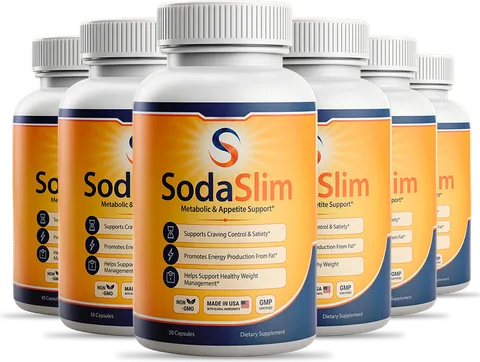
Read a Nutrition Facts panel from the top. Check the serving size and servings per container first, because every number below depends on them. Then look at calories, added sugars and the % Daily Value column. Supplement labels, including the SodaSlim bottle, use a separate Supplement Facts layout.
Start with serving size and servings per container · Calories and the main nutrients · Added sugars versus total sugars · Use % Daily Value as a shortcut · How a supplement label differs
- Serving size comes first; every other number scales with it.
- Added sugars are listed separately from total sugars.
- % Daily Value is a quick yardstick: 5% is low, 20% is high.
- Supplement labels use a different panel called Supplement Facts.
Start with serving size and servings per container
The top of the panel tells you what one serving is and how many servings the package holds. A bottle that looks like one drink may contain two and a half servings, which means every figure printed below has to be multiplied to match what you actually consume.
Compare the serving size to what you would normally eat. If you pour a bowl of cereal that is twice the listed portion, double the calories, sugars and everything else. This single habit clears up most label confusion.
A practical habit is to look at the panel before putting anything in your cart. Picking up two boxes of the same type of food and comparing the first three lines takes ten seconds and teaches you more than any chart.
Calories and the main nutrients
Calories appear in large type under the serving size. Below them are fat, sodium, carbohydrate, fiber and protein, each with a gram amount and a % Daily Value. The USDA's FoodData Central database lets you look up typical values for many foods if you want to compare a label against a reference.
Do not try to decode everything at once. Choose one or two nutrients you care about this month, such as fiber or sodium, and compare only those across products at the shop.
Sodium and fiber deserve a glance because they vary widely between similar products. A cracker and a granola bar can look alike on the front of the pack and very different on the back.
Ready to start your routine?
SodaSlim: a once-daily morning capsule, one a day before breakfast, with a 60-day money-back guarantee.
Order SodaSlim NowAdded sugars versus total sugars
Total sugars include those found naturally in milk and fruit. Added sugars are the ones put in during processing or at the table. They are listed on their own line, with a % Daily Value, so you can see how much a single serving contributes.
Scan the ingredient list too. Sugar goes by many names: cane sugar, syrup, concentrate, dextrose and honey among them. A few quick tricks help:
At home, keep it simple: take a photo of labels you like, and build a short list of go-to products so the next shop is faster.
- Ingredients are listed by weight, so earlier means more.
- Compare added sugars per serving across similar products.
- Unsweetened versions of yogurt, oatmeal and tea give you control at home.
- Watch flavored drinks and sauces, which often hide the largest amounts.
Use % Daily Value as a shortcut
The % Daily Value column shows how much of a day's reference amount one serving gives you. As a rule of thumb, 5% or less is low and 20% or more is high. Use that to aim higher for nutrients like fiber and lower for ones like sodium or added sugars.
You do not need to calculate daily totals; the label is a comparison tool, not a test. Use it to choose between two similar products in under a minute, then move on.
How a supplement label differs
A dietary supplement carries a Supplement Facts panel instead of Nutrition Facts. It lists serving size, servings per container and the ingredients in the product. The FDA explains the format on its dietary supplements page.
The brand states that SodaSlim is a capsule with one capsule per day and 30 capsules per bottle. You can read how the label presents the ingredients on the formula page. For more everyday guides, visit the blog.